
01
Configure barcode value
Enter the barcode content you want to simulate.
Built for repeatable local testing
Simulate barcode scanner keyboard input with global hotkeys, suffix and speed controls, and reusable scan history on Windows, macOS, and Linux.
Configure the payload, bind a shortcut, and simulate barcode scanner keyboard input into the active application without plugging in hardware.
01
Enter the barcode content you want to simulate.
02
Choose a global keyboard shortcut.
03
Inject barcode input into the active application.
The app helps developers and QA teams simulate barcode scanner behavior in practical scenarios where hardware is unavailable, inconvenient, or still in transit.
Run checkout, lookup, and item-entry flows on a dev machine without waiting for a physical barcode reader emulator setup.
Repeat scanner-driven test cases quickly during regression, exploratory QA, and bug reproduction when hardware access is limited.
Exercise receiving, picking, and fulfillment screens with scanner-like keyboard input before rolling changes into shared devices.
Show barcode workflow testing paths in demos, support sessions, and internal reviews without carrying hardware into every call.
Validate how your app handles HID barcode input, scanner timing, and suffix behavior when barcode data is injected as keystrokes.
Simulate barcode scanner events against ERP, WMS, and internal tooling integrations before connecting live scanners on-site.
Every screenshot shows the actual desktop utility, with larger previews and captions focused on what each screen helps you validate.
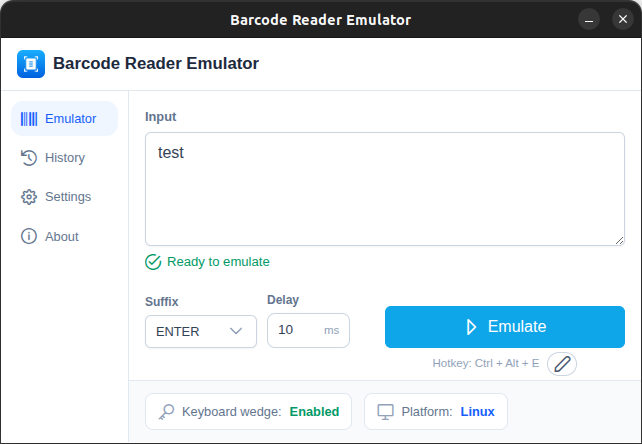
Global trigger
Keep your target app focused, press the shortcut, and simulate barcode scanner input exactly where your workflow expects it.
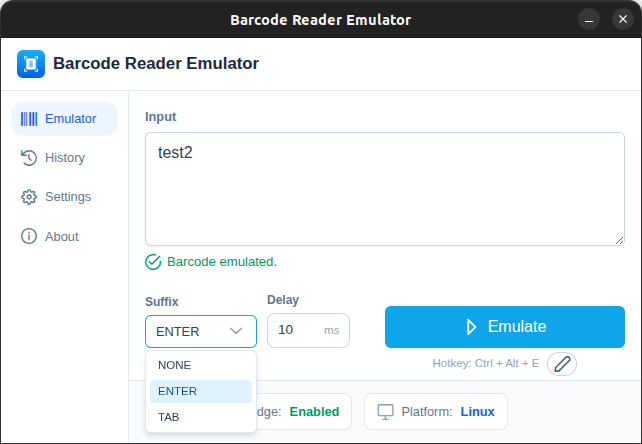
Suffix control
Match target-system behavior with configurable suffix options so scans can submit forms, move focus, or stay as raw input.
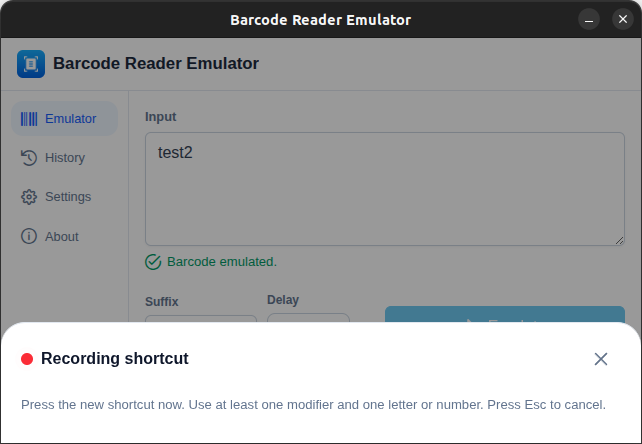
Hotkey recording
Record and edit the hotkey directly in the app so scans can be triggered instantly from any focused workflow.
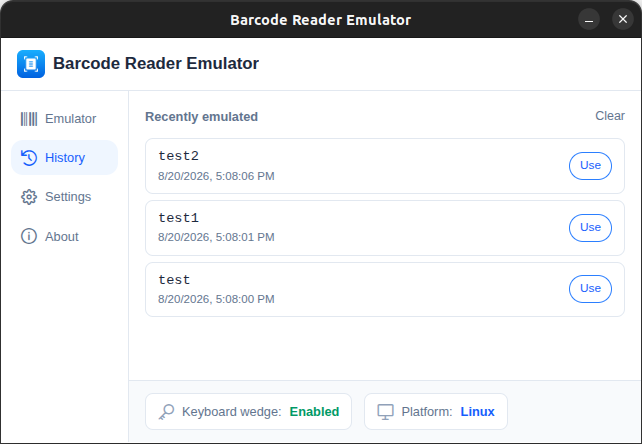
History reuse
Keep a practical scan history so QA and support flows can replay real values quickly without retyping.
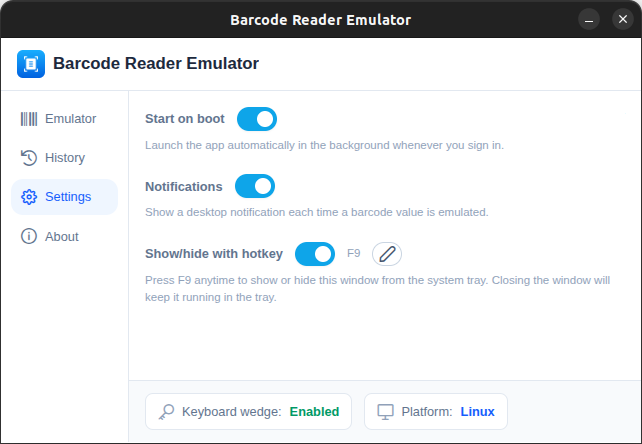
Runtime controls
Adjust typing delay, enable or disable notifications, and control startup behavior to match your daily workflow.
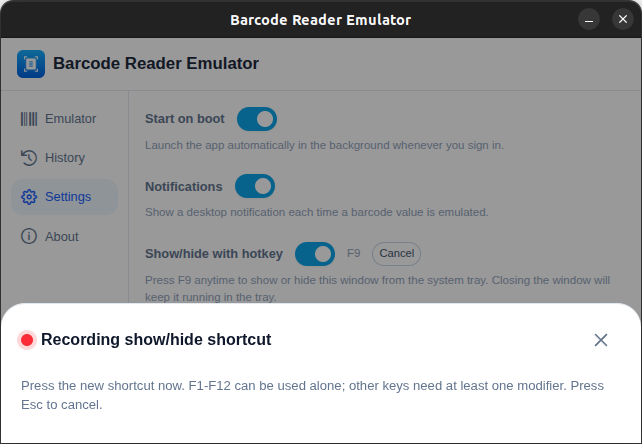
Background workflow
Keep the app in the background and toggle visibility with a dedicated shortcut when switching between testing tasks.
Each release is packaged for common developer workstation setups, with automatic highlighting for the platform that best matches the current device.
Browser-based tools for testing scanner input and generating barcodes, no installation required.
Scan into a live test area and see the captured value, character count, timing, and ENTER/TAB suffix detection.
Open toolInspect every keydown, keyup, and keypress event with key, code, location, and modifier state.
Open toolGenerate Code 128, Code 39, EAN-13, EAN-8, and UPC-A barcodes as downloadable SVGs.
Open toolPractical, technical guides covering how scanners work, HID keyboard wedge behavior, and QA testing methodology.
The four stages of a scan and why most scanners behave like keyboards.
Read guideWhat keyboard wedge mode is and what it means for browser-based testing.
Read guideA 10-point QA methodology covering suffixes, timing, layout, and POS workflows.
Read guideFocused fixes for the barcode scanner problems developers and QA teams run into most often.
Diagnose USB, HID mode, focus, and configuration issues.
Fix itIsolate app-level event handling bugs from scanner/connection issues.
Fix itFix a scanner that decodes correctly but never submits the field.
Fix itFix scrambled characters caused by locale mismatches.
Fix itChoose the package that matches your workstation, inspect the versioned assets, and start barcode workflow testing with a cleaner download surface.
Trust
Signed binaries. No telemetry. Works offline.
Loading direct download links from GitHub...
These FAQs cover HID barcode input, local testing behavior, package support, and how the tool fits barcode workflow testing without physical hardware.
A barcode scanner emulator is a testing tool that simulates barcode scanner output without physical hardware. Barcode Scanner Emulator sends barcode data as keyboard input so teams can test barcode workflow behavior locally.
Ready when you are
Download the desktop utility for local barcode scanner testing, or review the release assets and source before you install.