
9 min read
What Is a Barcode Emulator? (Complete Guide)
A complete guide to barcode emulators, including how they work, who uses them, where they fit into barcode scanner testing, and where they do not.
9 min read
Testing a POS system without a full checkout lane can feel risky at first. Real stores have scanners, receipt printers, payment terminals, permissions, and all kinds of environment-specific behavior. But for a large percentage of everyday development and QA work, you can still test POS systems effectively without having every device on the desk.
A lot more than people think. You can validate product lookup, add-to-cart behavior, quantity changes, discount rules, customer assignment, focus recovery, error handling, and many cashier-facing edge cases without touching the real scanner.
The key is to separate workflow logic from hardware validation. If the problem is about how the POS reacts to input, state changes, or lookup results, software-based testing is usually enough to find it. If the problem is about scanners, printers, terminals, or USB restrictions, that is where the hardware pass becomes necessary.
In most POS systems, the scanner is the first dependency people worry about. Fortunately, it is also one of the easiest to simulate well because many scanners behave like keyboards.
That makes a barcode scanner emulator tool a strong starting point for POS testing. You can drive the same search field or item input used at the register and verify how the screen reacts when barcode values arrive quickly, with or without a trailing Enter.
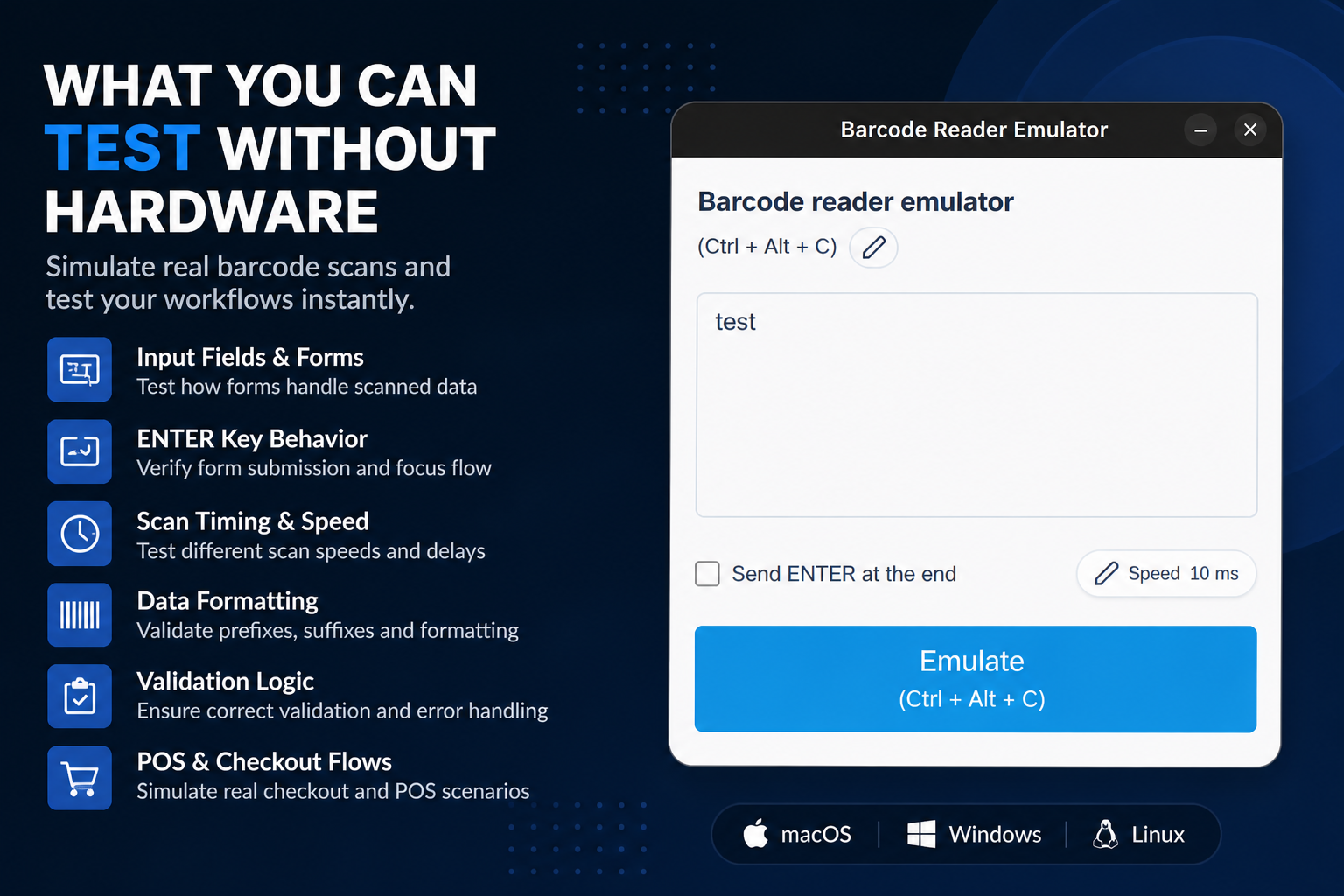
The easiest way to get shallow coverage is to test a single happy-path product. A better approach is to create a small matrix of item types that reflect how the POS behaves in real retail workflows.
I usually want at least:
This matters because POS bugs often hide in business rules, not in the scan itself. If your test set is too simple, the screen may look stable while the real workflow is not.
A POS session is not a neat unit test. Cashiers move fast, click the wrong field, rescan items, dismiss prompts too early, and operate under time pressure. If your hardware-free test cases do not model that reality, your coverage will look better than it actually is.
Try scenarios like these:
These are realistic failures, and they are exactly the kind of cases a barcode emulator helps you repeat without fatigue.
For POS testing, I like three layers:
This keeps expensive hardware time focused on the small set of bugs that truly require devices. Developers can clear most workflow defects locally, QA can verify broader scenarios in staging, and hardware specialists can concentrate on device-level issues.
Hardware-free testing is powerful, but it has limits. You still need actual devices for:
Being honest about these limits makes the rest of the process stronger. The goal is not to pretend hardware does not matter. The goal is to stop wasting hardware time on issues that could have been caught earlier.
The most common mistake is waiting for a full hardware lane before testing anything meaningful. That sounds cautious, but it usually delays bugs instead of preventing them. If a product lookup fails because the search field loses focus after a discount prompt, hardware will not magically make that bug easier to understand.
Another common issue is testing only one calm happy path. Real checkout sessions are noisy. Operators scan quickly, repeat items, back out of prompts, and switch between workflows. Your non-hardware POS testing should reflect that reality or it will miss the exact issues your staff will notice first.
Imagine a checkout screen where scanning a product should add the item, update the cart, and immediately refocus the product search input. You can validate most of that without hardware:
Only after that passes do you need the physical scanner for final confidence. This order saves time and usually makes the hardware session more useful.
You can test POS systems without real hardware far more effectively than many teams assume. Start with realistic scanner simulation, pair it with stable test data, and focus on workflow behavior first. Then use real hardware for the narrower set of issues that only devices can reveal. That approach is faster, cheaper, and usually more disciplined than relying on hardware from the start.
Helpful next step
If you want to try these workflows in practice, start with the Barcode Scanner Emulator tool and then come back to the rest of the blog for more testing patterns.
9 min read
A complete guide to barcode emulators, including how they work, who uses them, where they fit into barcode scanner testing, and where they do not.
9 min read
A practical review of the best barcode scanner testing tools for developers, QA teams, and POS engineers, with real-world tradeoffs and setup advice.
8 min read
A practical step-by-step guide to using a barcode scanner emulator for barcode scanner testing, QA workflows, and POS testing without real hardware.