
9 min read
How to Test POS Systems Without Real Hardware
A practical guide to POS testing without real hardware, including barcode scanner testing, staged workflows, and the limits of hardware-free validation.
9 min read
A barcode emulator is software that reproduces the input behavior of a barcode scanner without requiring the physical device. That may sound simple, but it is a genuinely useful distinction. It means developers, QA testers, and POS engineers can validate scanner-driven workflows without waiting on shared hardware every time a small change needs to be verified.
A barcode emulator sends barcode values into an application the way a scanner would, usually as fast keyboard input. In many real setups that means keyboard wedge behavior: characters go into the currently focused field and may be followed by Enter or another suffix key.
That is why barcode emulation is so useful for barcode scanner testing. You are not only checking whether a field can hold a value. You are checking whether the application behaves correctly when scanner-style input arrives under realistic conditions.
At a practical level, the emulator stores a barcode value and injects it into the active application as if it were being typed rapidly. Better tools let you control timing and suffix behavior so you can get closer to the way your production scanner works.
This matters because real systems often depend on those details. A POS search field may submit on Enter. A warehouse tool may debounce input. An admin form may fail if focus moves halfway through the scan. Emulating only the final text but not the interaction pattern is not enough for reliable testing.
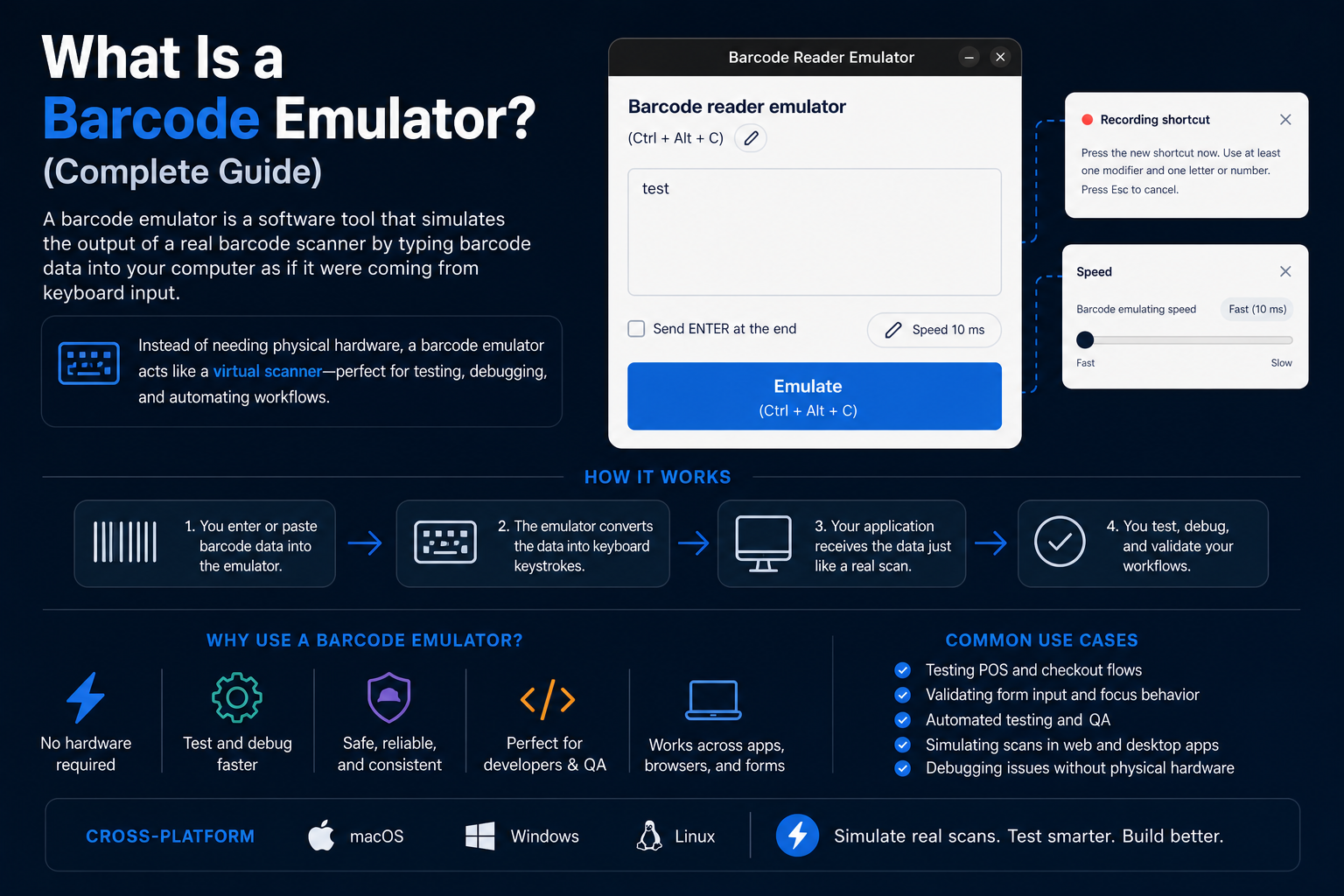
A barcode emulator is not the same thing as a barcode generator. A generator creates barcode images or printable codes. An emulator reproduces the scanner input itself. Teams often need both, but they solve different problems.
It is also not a total replacement for hardware. If you need to validate scanner pairing, cable issues, device configuration, or locked-down terminal policies, you still need the real scanner. Emulation is strongest when the software workflow is the main thing under test.
The obvious audience is developers building scanner-driven forms or integrations. But the actual user base is broader:
If your software reacts to a scanned barcode, there is a good chance barcode emulation can save you time.
Barcode emulators are especially useful in situations where the scan behavior matters more than the hardware itself. Common examples include:
For example, if scanning a product in a checkout flow should add it to cart, refocus the search field, and wait for the next scan, that is easy to exercise with a barcode emulator and surprisingly annoying to verify with manual typing.
At minimum, you want control over the barcode value, trigger action, and suffix behavior. Timing controls are also useful because a lot of scanner-related bugs only appear when the input arrives at scanner speed.
If you need a practical starting point, the Barcode Scanner Emulator desktop app is built around that exact workflow: scanner-like keyboard input, quick local testing, and less dependence on whichever hardware scanner happens to be available nearby.
The biggest misunderstanding is assuming the barcode value itself is the hard part. Usually it is not. The hard part is everything around it:
That is why experienced teams do not ask only “Did the barcode appear in the field?” They ask “What did the system do next?” A barcode emulator becomes valuable when it helps answer the second question quickly and repeatedly.
Say you are working on an internal inventory tool where scanning a shelf label should populate a location field and immediately trigger a stock lookup. With a barcode emulator, you can test whether the value lands in the correct field, whether the lookup fires once, whether focus stays where the operator expects, and whether the UI recovers cleanly after an error.
That is a good example of where emulation pays off. None of those checks depend on physically holding a scanner. They depend on reproducing scanner-like input accurately enough that the workflow behaves the way it would during normal use.
A barcode emulator is a practical testing tool, not a gimmick. It helps developers and testers simulate barcode scanner behavior, validate real workflows, and stop treating hardware availability as the gatekeeper for progress. Used correctly, it reduces friction without pretending hardware no longer matters.
Helpful next step
If you want to try these workflows in practice, start with the Barcode Scanner Emulator tool and then come back to the rest of the blog for more testing patterns.
9 min read
A practical guide to POS testing without real hardware, including barcode scanner testing, staged workflows, and the limits of hardware-free validation.
9 min read
A practical review of the best barcode scanner testing tools for developers, QA teams, and POS engineers, with real-world tradeoffs and setup advice.
8 min read
A practical step-by-step guide to using a barcode scanner emulator for barcode scanner testing, QA workflows, and POS testing without real hardware.